
Create an account & sign in
Your account is the login that gets you into the control panel, and your workspace is where your servers and teammates live. This page takes you from a fresh registration to a signed-in session at dash.galaxygate.net. It takes a couple of minutes and you only do it once.
Register
Open dash.galaxygate.net. The sign-in screen has two tabs: Login for people who already have an account, and Register for new accounts. Since this is your first time, choose Register, then fill in your details and submit.
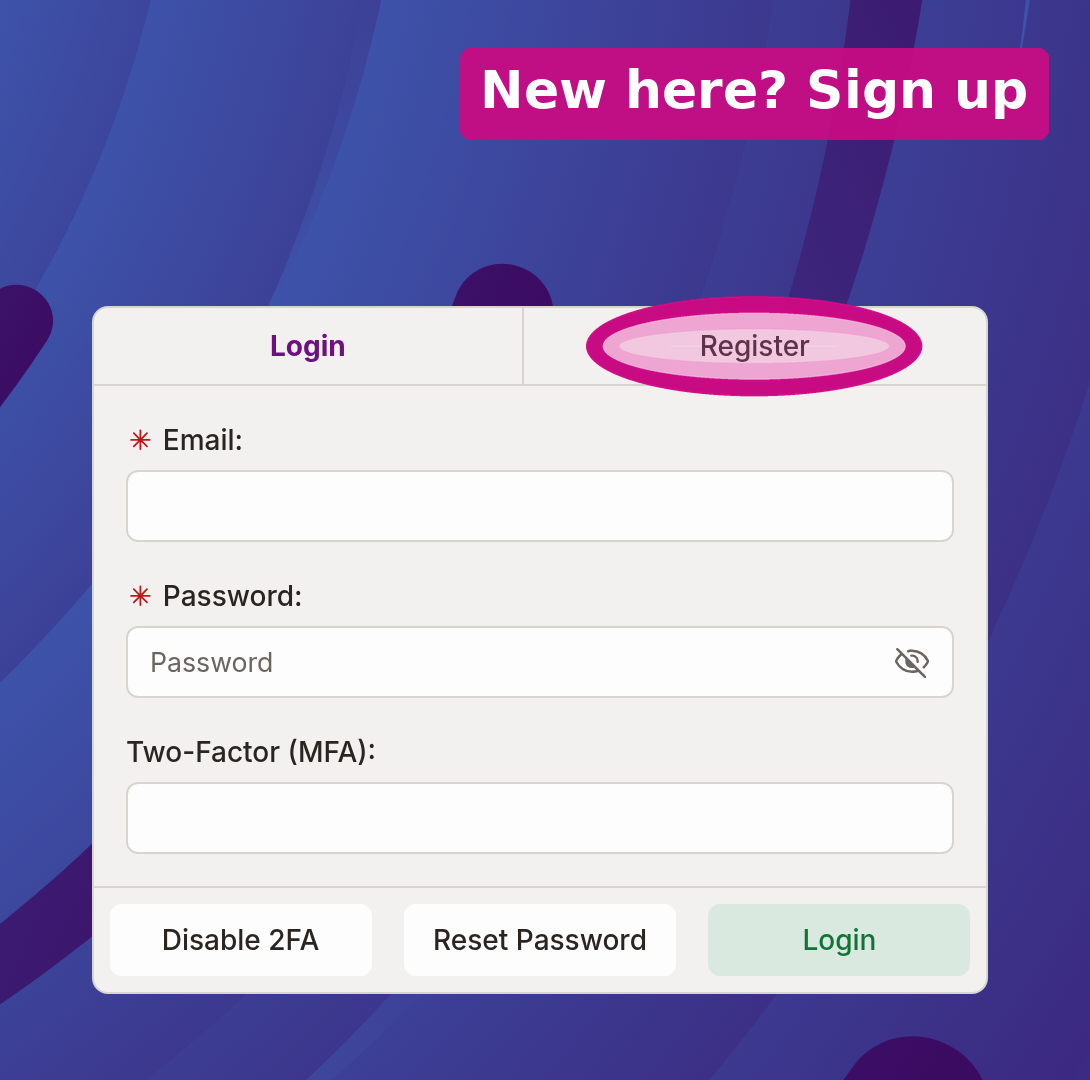
Select the Register tab (circled above), then enter your email and a password.
Verify your email
After you register, GalaxyGate sends a message to the address you signed up with. Open it and click the verification link. This confirms the address is yours and activates the account. If the email has not arrived after a minute or two, check your spam folder before requesting another one.
Use an address you check
Password resets and account notices go to this address, so pick one you actually read. You can keep using it as the label on your SSH keys later, which is the convention the panel follows.
Sign in
Once your email is verified, return to dash.galaxygate.net, switch to the Login tab, and enter the same email and password. This drops you on your Dashboard, the first item in the sidebar.
Two-factor sign-in
If you have enrolled in two-factor authentication (also called MFA), signing in asks for one more thing after your password: a short code from your authenticator app. Enter the current code to finish. This is an extra layer, so a stolen password alone cannot get into your account. If you have not enrolled, you will not see this step.
What signing in does
A successful sign-in mints a session token and stores it in your browser. Every action you take in the panel, from creating a server to opening a console, rides on that token, so the panel knows it is you without asking for your password on every click. The session is temporary and expires, at which point you sign in again. This is different from an API token, which you create yourself so scripts can act on your behalf. That is covered in the API section.
Forgot your password?
The sign-in screen has a Reset Password link. It emails you a link to set a new account password. That is separate from resetting the root password on a server, which is covered in Passwords & reset.
Next step
You are signed in. Next, create an SSH key so the servers you build will trust your computer.