
Power Controls
The power button next to “Advanced” on an instance opens the power menu. The same menu is available on the Terminal tab.
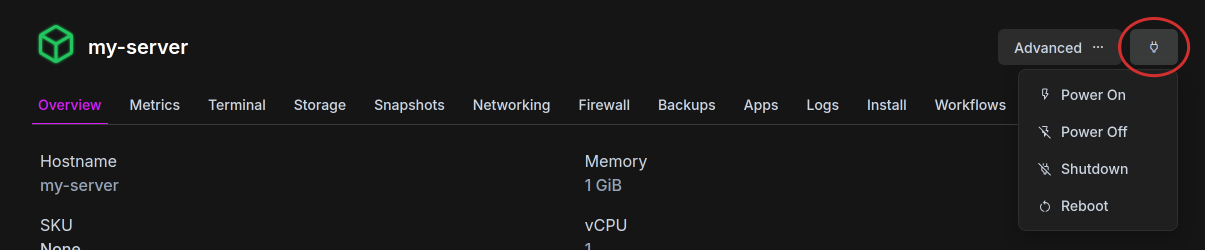
| Action | What it does |
|---|---|
| Power On | Starts a stopped instance |
| Shutdown | Asks the operating system to shut down cleanly. Use it for a normal stop |
| Power Off | Cuts power right away. Unsaved data is lost |
| Reboot | Cuts power, then starts the instance again |
Issuing a reboot causes a hard stop, the same as a power off. If a staff member requests a reboot or power cycle, always use this option.
Not all operating systems respect shutdown correctly, especially if the system is in a frozen state. In those cases use power off to force a shutdown.
Controlling several instances
Section titled “Controlling several instances”- Head over to the instance list, under “Instances” in the sidebar
- Select the instances
- Hit “Power…”
- Choose the action
- Confirm
The row menu of each instance also has “Power Cycle”, the same as “Reboot”.
Starting after a host crash
Section titled “Starting after a host crash”In the case of a host-side crash we automatically restart instances. To opt out and keep your instance offline:
- Head over to the instance list and open your instance
- Hit “Update Settings” in the “Advanced” menu
- Untick “Start when the node boots”