
Deploy a Server
Add an SSH key to your workspace first. New servers receive your keys at creation. Read more in SSH Setup.
-
Head over to the instance list, under “Instances” in the sidebar
-
Hit “Order Server”
-
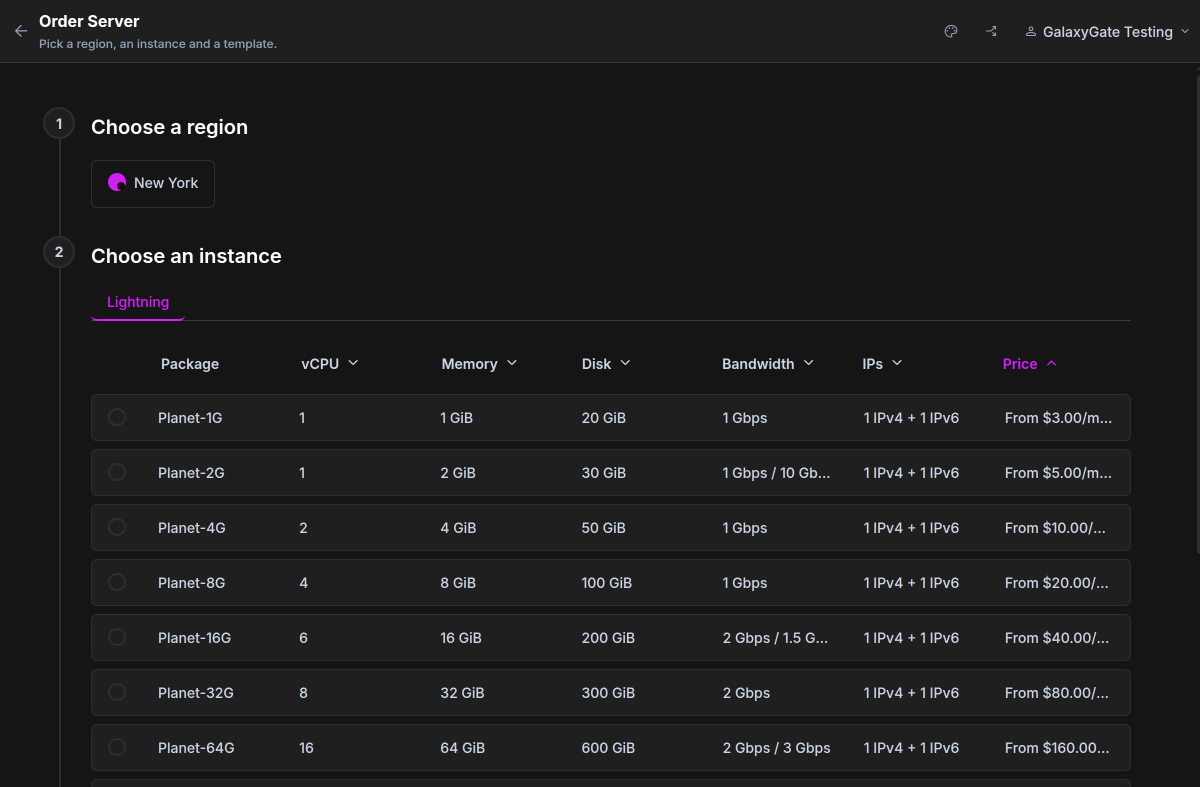
Choose a region, an instance (plan) and a template. A name is optional
-
Check the summary under “Review”
-
Hit “Place order”
If you have a saved payment method or credit, we charge it. Otherwise we take you to the payment page. Hourly plans need at least $5, or one hour of usage if that is more, available in your wallet.
Connect
Section titled “Connect”We email you when the server is ready, with its IP address, username and password. The IP address also shows in the
“Instances” list. The username is root, or Administrator on Windows.
ssh root@203.0.113.10ssh.exe root@203.0.113.10New to Linux? See First Login for a step-by-step walkthrough.