
Sudo Mode
Sudo mode asks you to confirm it’s you before a sensitive change to your account, such as changing your email, creating an API token, or removing a two-factor method. After you confirm, we do not ask again for 2 hours.
Sudo mode applies to your current sign-in only. Other browsers and devices confirm separately.
Confirming it’s you
Section titled “Confirming it’s you”When an action needs sudo mode, we show a “Confirm it’s you” prompt. After you verify, the action continues on its own.
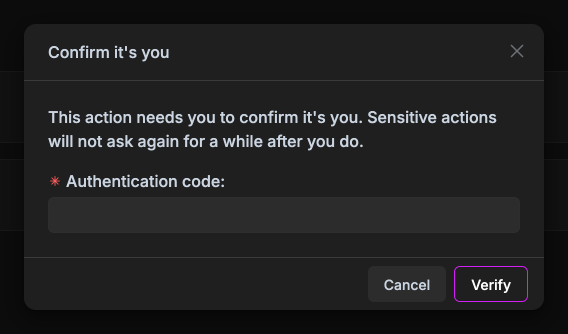
How you confirm depends on what your account has set up:
| Your account has | Confirm with |
|---|---|
| A security key or passkey | The key |
| An authenticator app (TOTP) | A code from the app |
| No two-factor | Your password |
| Only a linked sign-in provider (Google, GitHub) | A sign-in in the last 10 minutes, otherwise hit “Sign in again” |
If you have both a key and an authenticator app, either works. Recovery codes only work at login.
Checking and ending sudo mode
Section titled “Checking and ending sudo mode”While sudo mode is active, a shield icon shows in the top bar.

Click it to see when sudo mode ends. To end it early:
- Click the shield icon in the top bar
- Hit “End sudo mode”
We ask again on the next sensitive action.
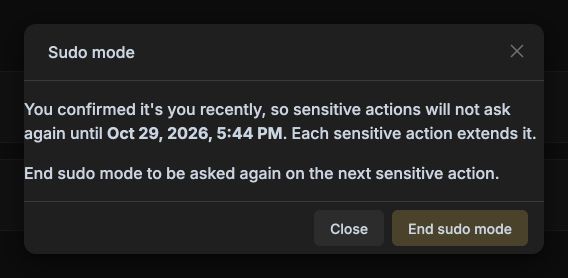
Sudo mode also ends when you log out, change your password, or remove a two-factor method.