Emergency Lock
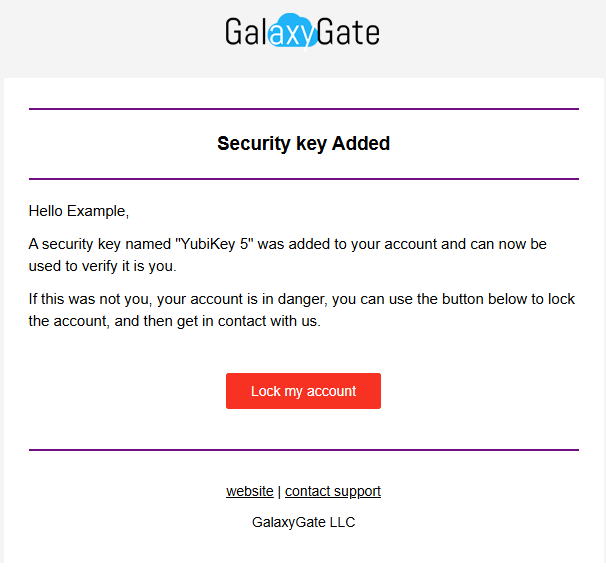
When adding a 2FA method you will be prompted to save an emergency account lock code. We recommend saving this code somewhere easily accessible in an emergency. All our official email communications also contain an account lock button.
What the lock code does
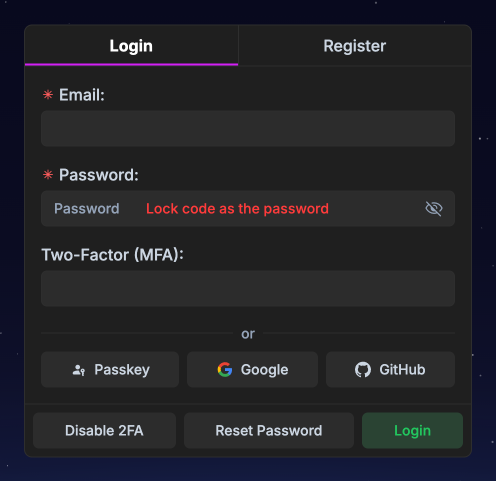
Section titled “What the lock code does”If you use the lock code as the password during login or head directly to the lock page via the link provided in our emails, your account will be locked and all your active sessions and API tokens will be invalidated.
This leaves your account in a permanently locked state and only a support member can unlock your account. Once your account is locked you can get in contact with us from any of our support channels and we’ll begin an ownership verification process. This process might take several hours to several business days. It is intentionally slow and we cannot speed it up.
How to use your lock code
Section titled “How to use your lock code”You can use your lock code in the login page in place of your password. This works even for accounts that never had a password such as those created via OAuth or WHMCS integrations.
Email lock buttons
Section titled “Email lock buttons”All our email communications always have the red lock button at the bottom. Clicking this button will take you directly to our lock page and lock your account.